Choose and manage experiences
An experience is guidance or a message delivered inside your product. Choose the format after deciding who needs help and what they should do next.
Choose a format
Section titled “Choose a format”| Format | Example use |
|---|---|
| Guide | Walk a new user through two or three connected actions. |
| Survey | Ask for feedback after a real product task. |
| Checklist | Keep onboarding tasks visible across visits. |
| Banner | Announce an update at the top or bottom of a page. |
| Anchored card | Explain a specific control next to that control. |
| Toast | Give a brief, non-blocking message. |
| Modal | Ask for focused attention in an overlay. |
| Slideout | Present a longer message from an edge of the screen. |
| Hotspot | Mark a feature with a beacon that opens more context. |
| Cursor follower | Keep a compact message beside a pointer on a suitable desktop flow. |
Guides, Surveys, Banners, and Checklists have sidebar entries. Find the other widget collections under Experiences → Other. Anchored cards provide the contextual pattern often called a tooltip; there is no separate Tooltip collection.
Create and manage
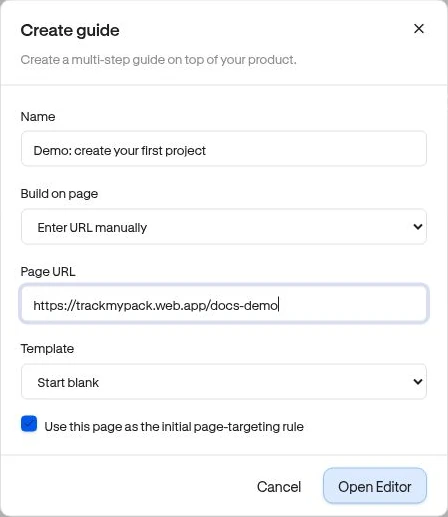
Section titled “Create and manage”Use the collection’s Create action, name the experience, and choose Open Editor. Non-checklist experiences need a build page on the site’s configured domain. Follow Build your first experience.
| State | Meaning |
|---|---|
| Draft | Editable content that has not been made available as the live version. |
| Live | The published version can be delivered to eligible visitors. |
| Paused | Delivery is paused; the experience can be edited and published again. |
Use Edit to change a draft, Pause to stop delivery, and Publish to publish/resume from the collection when setup is valid. For a controlled launch or draft update, use Review & publish inside the editor. Surveys also offer Build and View Results.
Delete permanently removes an experience after confirmation. Check any checklist tasks that launch a guide before deleting or pausing that guide.
Creating, changing, publishing, pausing, and deleting requires Owner or Admin access. Available advanced settings also depend on your plan.
Next: Visual editor · Publishing.