
Create a segment from funnel results
A funnel cohort is a segment defined by ordered funnel progress. Use it when “did one event but not another” would miss the order or conversion window of the journey.
Example
Section titled “Example”You want guidance for people who signed up but did not create a project within the onboarding window. Create the audience from the signup step’s drop-off, then target an experience to that Segment.
Create the audience
Section titled “Create the audience”- Open the funnel and set the date range, Complete within, and Analyze users filter.
- Under Step breakdown, open Create segment beside the relevant step.
- Choose Reached this step, Dropped after this step, or Completed funnel on the final step.
- Enter a Segment name and choose Create segment.
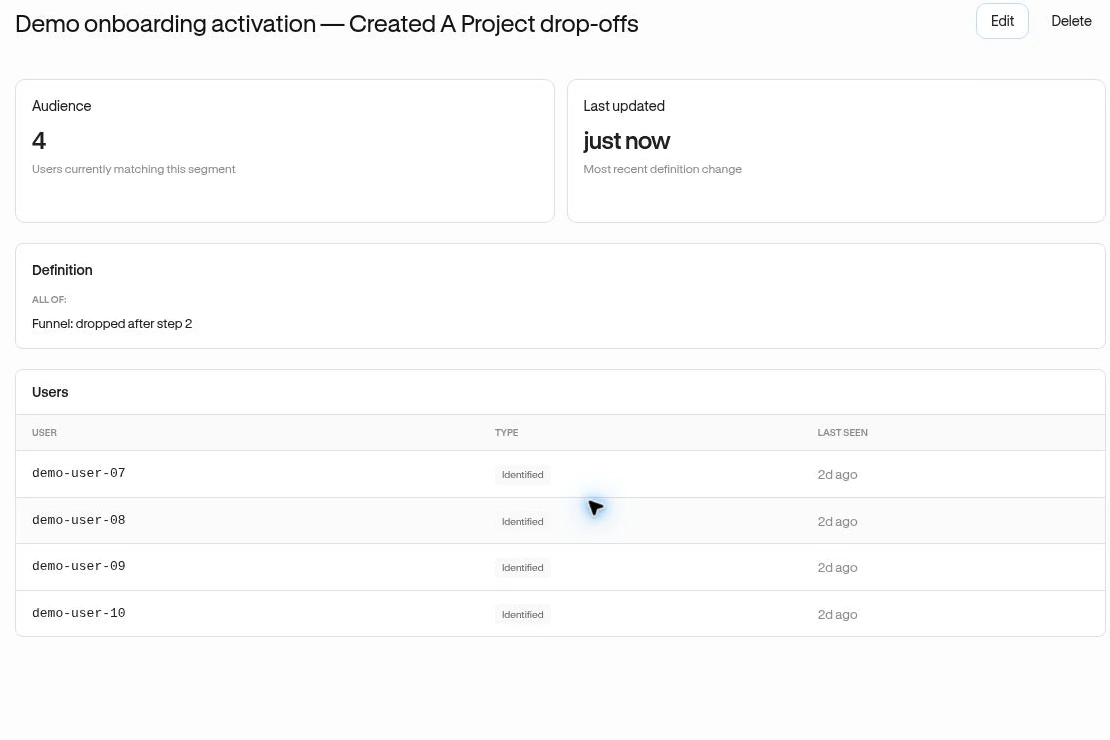
- Review the new Segment’s definition and members.
An Owner or Admin is needed to save the segment. “Dropped after” means the person reached that step but did not reach the next one in the funnel’s allowed window.
What the segment keeps
Section titled “What the segment keeps”The cohort stores the funnel reference, step, chosen conversion window, and analysis date scope. A relative range such as the last 30 days keeps rolling; a custom date range keeps those dates. If you analyzed a saved Segment, its definition is combined with the new cohort.
Membership is recomputed. New data or a later edit to the referenced funnel can change results. Avoid treating recent starters as permanently lost while their conversion window is still open.
Use it
Section titled “Use it”Choose this saved Segment in an experience’s audience settings. Confirm a known member qualifies and a nonmember does not before publishing broadly.
Related: Improve activation · Segment membership.