
Find an onboarding gap and guide users
Use this journey when people sign up but do not reach the first useful outcome. The goal is to understand a specific gap and test relevant help.
Example and prerequisites
Section titled “Example and prerequisites”In this fictional product, the first useful outcome is creating a project. The app already sends signup_completed and project_created. You need Admin or Owner access, recorded data, and a connected product.
1. Check the milestone
Section titled “1. Check the milestone”Open Events and verify project_created records successful saves, not just clicks. Inspect a few occurrences and their user/session context.
2. Measure the sequence
Section titled “2. Measure the sequence”Create a funnel from signup_completed to project_created. Choose a realistic conversion window. Read the conversion and inspect a few users in the step breakdown. Recent starters may still be within their completion window.
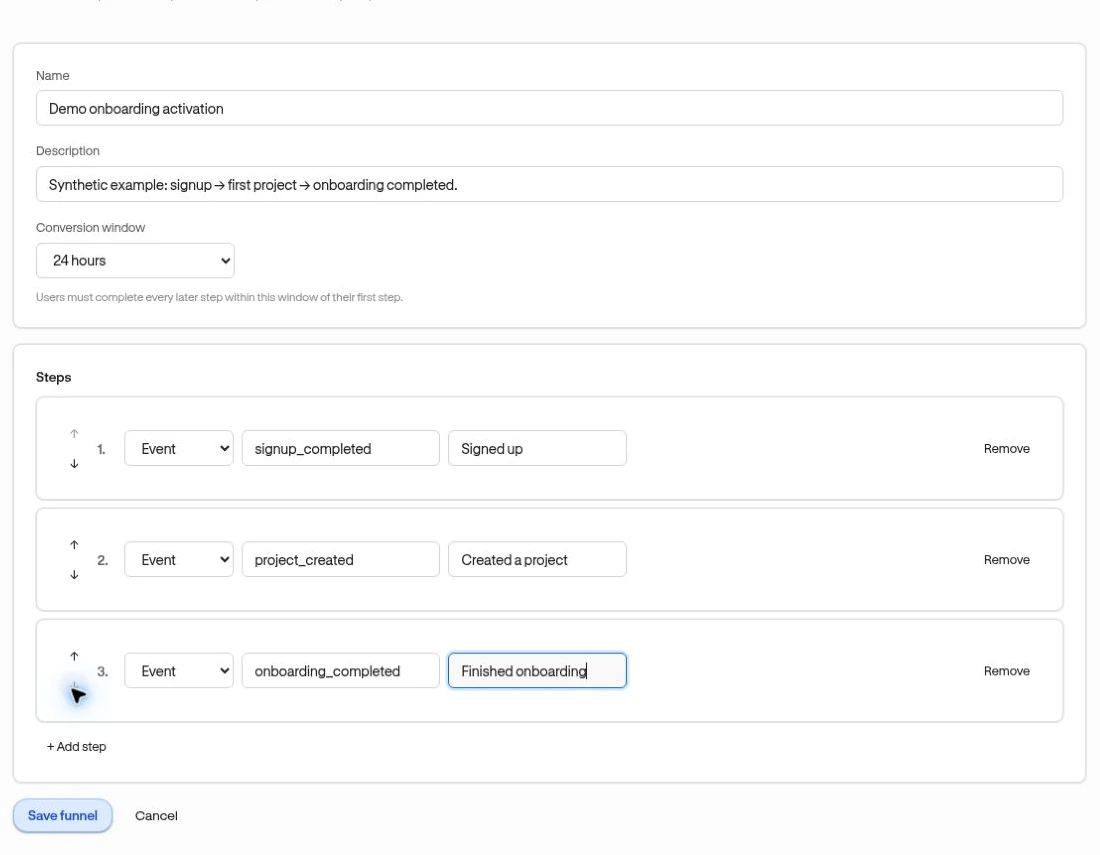
3. Save the relevant audience
Section titled “3. Save the relevant audience”From the signup step’s Create segment menu, choose Dropped after this step. Name and inspect the resulting funnel cohort. Check whether your analysis dates should roll forward or stay fixed.
4. Build focused help
Section titled “4. Build focused help”Create an anchored card or short guide beside the project-creation control. Explain one concrete next action. Choose the saved cohort as A saved Segment, the correct Page, and a suitable trigger. Use conservative repetition.
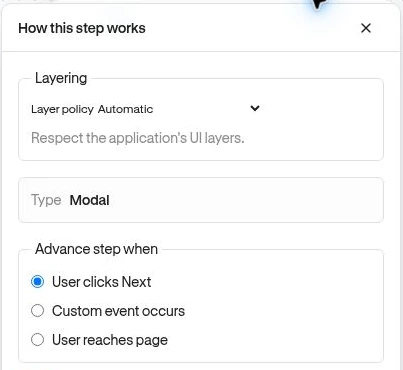
5. Preview, publish, and review
Section titled “5. Preview, publish, and review”Preview with a qualifying test user, complete the launch review, then verify a normal delivery. Review experience engagement alongside the product funnel using the same definitions and dates.
A higher completion rate after launch is a reason to investigate further, not proof the experience caused the change. Compare equivalent audiences and allow the conversion window to mature before deciding what to keep.