
Troubleshoot missing data
Start with the simplest check that matches the symptom. Empty results can mean the wrong context or a valid zero, rather than a broken installation.
| Symptom | What to check first |
|---|---|
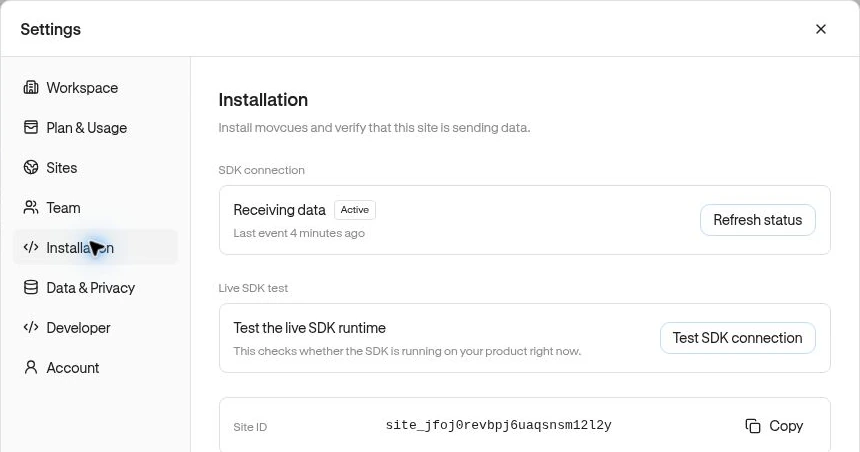
| No recent activity anywhere | Select the correct site and run Settings → Installation → Test SDK connection while refreshing your product. |
| No named events | Observe → Events lists custom events. Ask whether your app actually sends the expected event after the action succeeds. |
| Events exist but a report is empty | Clear filters, expand the date range, check the audience, and confirm the exact event name. |
| An identified user is missing | Check Anonymous in Users and ask your developer whether identification runs after sign-in. |
| No Page matches | Test its path rules against recorded traffic, including excludes. Use paths rather than full domains. |
| An empty Segment | Finish all conditions, check ALL / ANY, lookback windows, property types, and whether required events exist. |
| Funnel conversion seems too low | Check strict step order, the entry date range, earliest first-step occurrence, and Complete within. Allow recent starters time to finish. |
| A dashboard card fails | Check its saved Funnel/Experience/Segment still exists, then use the card’s retry control. |
| Saving or creating fails | Check Owner/Admin access, plan capacity, required fields, and any visible error. |
Example: “we have page visits but no exports”
Section titled “Example: “we have page visits but no exports””A connected SDK can receive automatic visits without any report_exported custom event. Ask your developer to add that event at export success. It will not appear simply because a visitor clicked a button labeled Export.
If the dashboard will not load
Section titled “If the dashboard will not load”Reload, confirm you are still signed in, and check the selected workspace and site. Use Retry or refresh where offered. If the error persists, note the screen, time, selected site, steps taken, and exact visible message. Do not include credentials or sensitive event contents in a support report.
A developer can continue with SDK troubleshooting for script loading, browser restrictions, and delivery errors. Avoid repeatedly installing the SDK in different places, which can create duplicate collection.
Related: Connection checks · Funnel definitions · Experience delivery.