
Save, review, and publish
Saving a draft preserves your work. Publishing makes a saved version available to eligible visitors. Use the review to check the intended audience and moment before launching.
Before publishing
Section titled “Before publishing”Use an Owner or Admin account. Wait for Saved, verify any anchored targets, and confirm your plan supports the selected settings. A publish error may concern permissions, capacity, targeting, or content rather than design.
Complete the launch review
Section titled “Complete the launch review”- Choose Review & publish in the editor.
- On first launch, follow Launch setup using Continue:
- Choose Who should see this experience?
- Choose Where should this experience appear?
- For guides/widgets, choose What should make this experience appear?
- Choose frequency and the optional active window.
- Review the guide steps, survey questions, checklist tasks, or widget behavior.
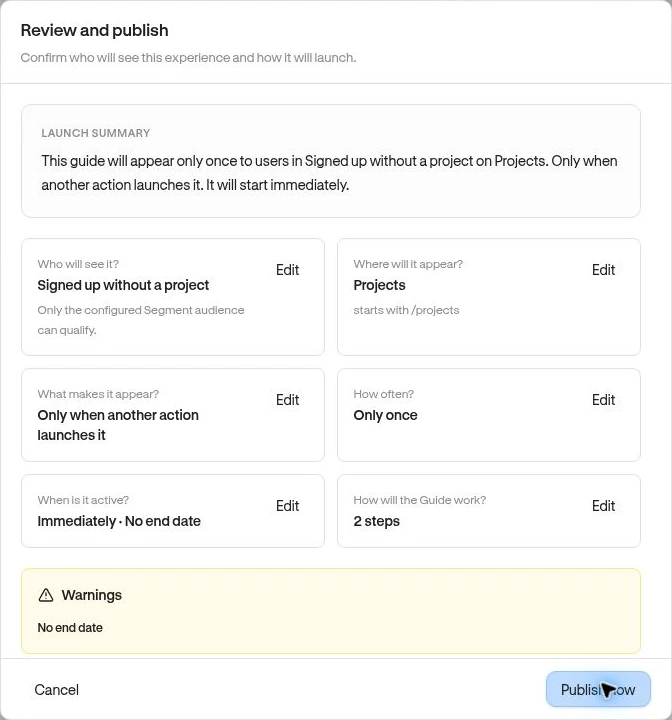
- On Review and publish, read the Launch summary and each condition. Use its Edit action to correct it.
- Resolve every item in Needs attention. Review warnings too.
- If an automatic experience can appear to everyone across all pages, confirm I intend to show this experience this broadly. only when that is deliberate.
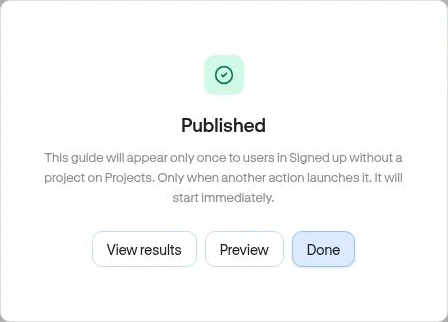
- Choose Publish now and wait for Published.
Returning experiences open on the review summary. Checklists omit the trigger and repeat-frequency stages because they use persistent task state.
Verify the launch
Section titled “Verify the launch”Use a normal product visit with a qualifying test user, outside the live editor. Check appearance and actions. Then review experience performance. Published confirms the saved release, not that everyone will see it immediately.
Edit a live experience
Section titled “Edit a live experience”Open Edit and make changes. Autosave updates the draft; the current live version continues until you publish the revised draft. Reopen Review & publish and recheck targeting as well as visuals.
Use Pause from the collection when you need delivery stopped. A later Publish makes the experience available again if the configuration remains valid; it is not a fresh-user reset for frequency or checklist progress.
Related: Delivery troubleshooting · Audience · Usage limits.