
Choose when an experience starts
A trigger is the moment Movcues checks whether an experience should appear. Audience, page, timing, and frequency conditions still apply to automatic delivery.
Choose the launch moment
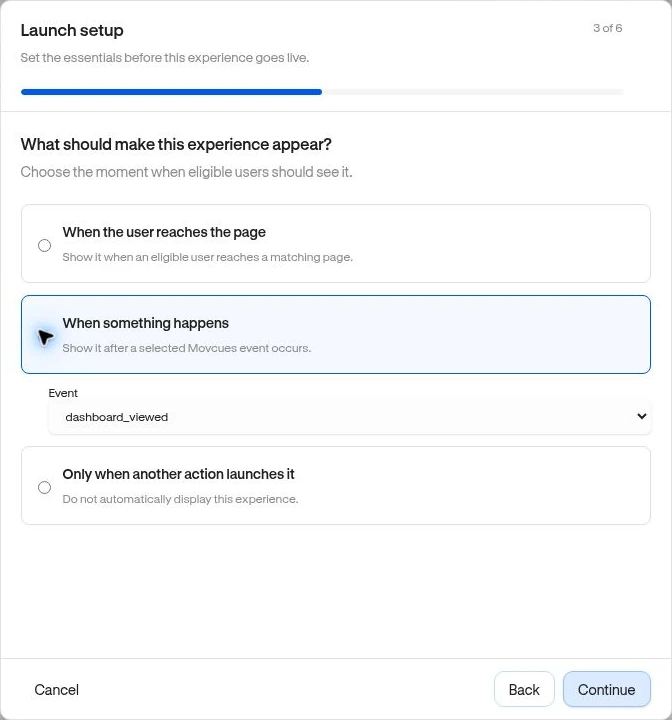
Section titled “Choose the launch moment”Open Review & publish and find What should make this experience appear?
| Choice | Meaning | Example |
|---|---|---|
| When the user reaches the page | Starts on a matching page for an eligible visitor. | Introduce project setup when a new user reaches /projects. |
| When something happens | Starts after the selected custom Event occurs. | Ask about export quality after report_exported. |
| Only when another action launches it | Does not appear automatically. Requires a launch action. | A checklist task launches a published Guide. |
Event-triggered and explicit launch settings can depend on plan access. Checklists do not have this trigger stage; their visibility is based on eligibility and persistent progress.
Example: feedback after an export
Section titled “Example: feedback after an export”- Confirm
report_exportedappears in Observe → Events. - Build a survey and set an appropriate audience and page.
- Choose When something happens and select that Event.
- Review timing and frequency, then publish.
- Perform a new export as a qualifying visitor outside the editor. Old events in a report do not replay themselves as new launch triggers.
The event must actually be sent at the intended moment. Selecting an event does not add tracking to your product. Give your developer the custom event instructions if it is missing.
More complex journeys
Section titled “More complex journeys”The current dashboard configures launch conditions inside each experience; it has no separate active Workflows page for building arbitrary event sequences. Use a Segment or ordered Funnel cohort for historical behavior, then use an experience trigger for the launch moment.
For multistep guidance, step advancement is separate from the trigger that starts the whole guide. Developers can also explicitly request a published experience through the SDK’s Public API.