
Start using Movcues
Movcues helps you understand activity in your product and show guidance or feedback requests to relevant visitors. Start with one product and one useful task, such as helping new users create their first project.
Before you start
Section titled “Before you start”You need access to your product’s website and someone who can add the Movcues installation snippet. To create or publish content, use a workspace Owner or Admin account. Other roles can inspect data but cannot make these changes.
Set up your workspace
Section titled “Set up your workspace”- Create a Movcues account or sign in. You can use the email/password form or the Google sign-in option.
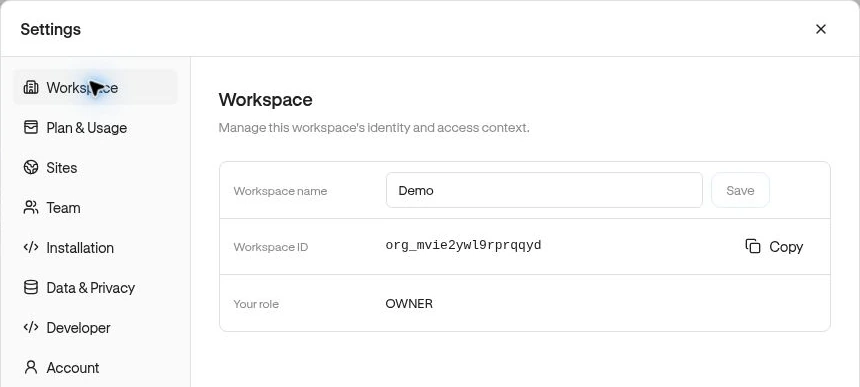
- In Workspace, enter a Workspace name and choose Continue. A workspace is your team’s shared home.
- In Your site, enter a Site name and Website domain. Use the origin that hosts your product, such as
https://app.example.com, rather than a specific page. - Choose Create site.
- On Install, give the Manual snippet to your developer, or copy the Agent prompt to your coding assistant. Follow Connect and verify your site.
- After the connection succeeds, choose Open dashboard.
Skip for now keeps the workspace and site. You can finish the installation later in Settings → Installation.
Find your way around
Section titled “Find your way around”| Dashboard area | Use it to |
|---|---|
| Workspace → Overview | Review experience viewers and responses. |
| Workspace → Dashboards | Save custom analytics cards. |
| Experiences | Build guides, surveys, banners, and checklists. More widget types are under Other. |
| Observe | Explore Pages, Sessions, Events, and Funnels. |
| People | Find Users and create Segments. |
| Settings | Manage sites, installation, team access, themes, and billing. |
The site name at the top of the sidebar opens Sites settings. Check it before interpreting data: segments, funnels, events, and experiences belong to a site.
Your first useful result
Section titled “Your first useful result”Once connected, build your first experience, then review its results. If you are joining an existing team, ask an Admin to invite you.